Components | Installation | Features | Web Interface | Auto-Ping Reboot/Email | Router Config Examples
Instructions Page 1 2 3 4 5 6 7 Home
Access Your RPS-ERP II Power Management Device Over the Internet
Using PAT (Port Network Address Translation) function of the firewall
PAT also called as DNAT, Port forwarding, Port-Redirection, Port Mapping and virtual server. If your RPS-ERP II’s IP address behind the firewall that is RPS-ERP IIs IP is a private IP. You should configure the firewall to open TCP 80 port and map the public IP and TCP 80 port (or other port) to the RPS-ERP II private IP and TCP 80 port. In following, assume:
- Your public IP address is 60.16.100.10
- The LAN subnet is 192.168.1.0 / 255.255.255.0
- The RPS-ERP II IP address is 192.168.1.253
Scenario I – Simple PAT Router
In scenario I, your router has a simple PAT function that can only redirect the public port to the private port with the same port number as the public port.
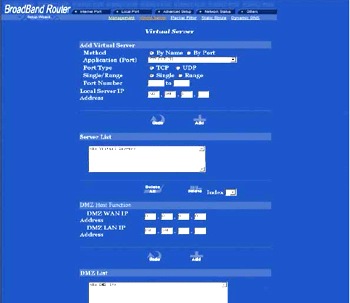
1. Setting AboCom ADSL Router CAS3047 (Virtual Server)
Scenario II Full PAT Router
In scenario II, your router has a full PAT function that can redirect the public port to the private port with any port number.
1. Setting for D-Link DI604 router (Advanced >Virtual Server)
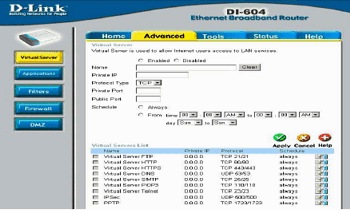
Name: The name referencing the RPS-ERP II. Private IP: 192.168.1.253 Private Port: 80 Protocol Type: TCP Public Port: 80 else if public TCP port 80 is used, you can set as following:
Name: The name referencing the RPS-ERP II. Private IP: 192.168.1.253 Private Port: 80 Protocol Type: TCP Public Port: 8000 Access the RPS-ERP II over the Internet: You just enter https://60.16.200.10 or https://60.16.200.10:8000 by IE browser.
2. Setting for Linksys Cable/DSL VPN Router BEFVP41 V2 (UPnP Forwarding)
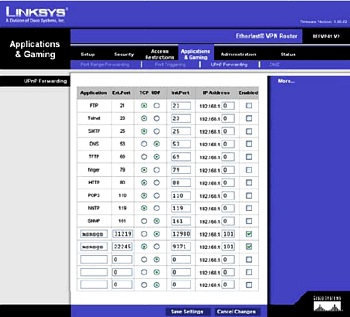
Application: HTTP. Ext. Port: 80. TCP UPD : TCP Int Port: 80. Private IP: 192.168.1.253 Enable: Yes else if public TCP port 80 is used, you can set as following:
Select a blank row at the bottom (there are three blank rows)
Name: RPS-ERP II Ext. Port: 8000 TCP UPD : TCP Int Port: 80 Private IP: 192.168.1.253 Enable: Yes Access the RPS-ERP II over the Internet: You just enter https://60.16.200.10 or https://60.16.200.10:8000 by IE browser.
3. Setting Linux-based Router
If the public TCP port 80 is not used, you can set as following:
Iptables -t nat -A PREROUTING -p tcp -i eth0 –dport 80 -j DNAT –to 192.168.1.253:80 else if public TCP port 80 is used, you can set as following: Iptables -t nat -A PREROUTING -p tcp -i eth0 –dport 8000 -j DNAT –to 192.168.1.253:80
Using VPN If you can establish a VPN tunnel from the Internet to your office, you can control the power of computer equipped with RPS-ERP II just like you do on the LAN.